
My First Tax Return with ¥650K Side Income | Why I Chose Blue-Form Filing and the Address Privacy Issue
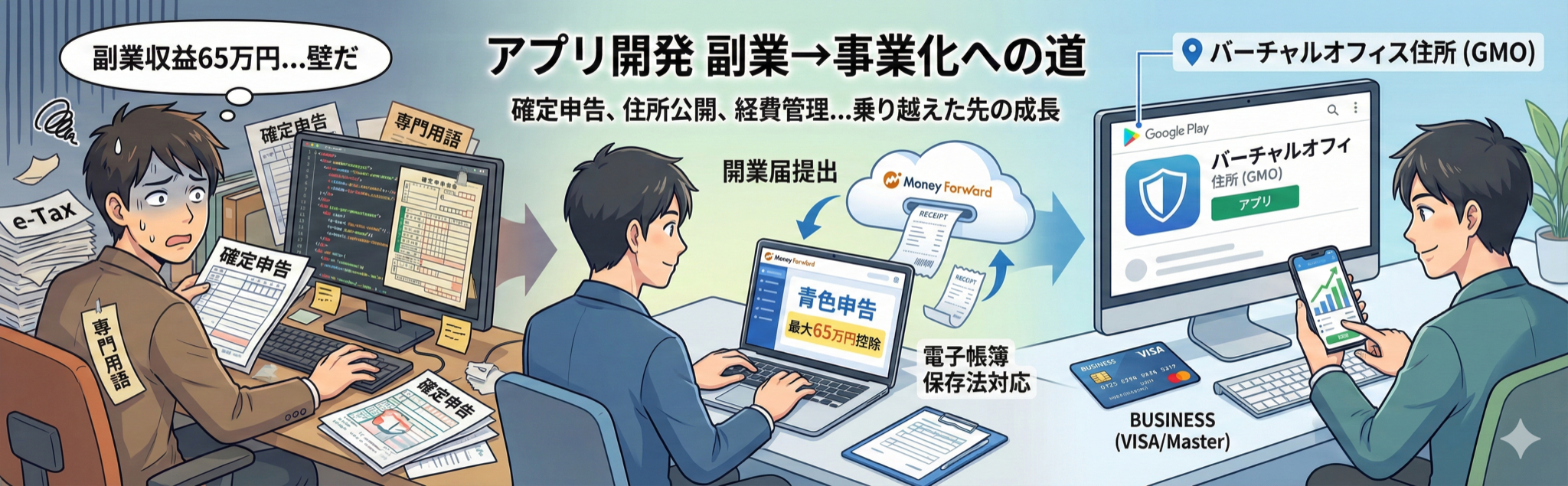
A few years after starting app development as a side business, when my 2021 revenue reached approximately ¥650,000, I faced the "tax return filing" wall for the first time.
When your side business income exceeds ¥200,000, you need to file a tax return.
While I was good at programming, I had almost zero knowledge about taxes. Honestly, I was confused by the jargon-filled tax return process.
But I had to do it. With just that sense of obligation, I pushed myself to get started.
Why I Needed to File a Tax Return
If you're doing app development as a side business, you need to file a tax return when your annual income exceeds ¥200,000.
In 2021, my app revenue was approximately ¥650,000. I had completely crossed the ¥200,000 threshold.
"I've never filed a tax return before..."
I was filled with anxiety.
White-Form or Blue-Form Filing: Which Should I Choose?
There are two main types of tax return filing:
- White-Form Filing: A simpler filing method
- Blue-Form Filing: Requires detailed bookkeeping, but offers larger deductions
Differences Between Them
| Item | White-Form | Blue-Form |
|---|---|---|
| Special Deduction | None | Up to ¥650,000 |
| Prior Application | Not required | Required (Business Registration + Blue-Form Approval) |
| Bookkeeping | Simple ledger | Double-entry bookkeeping |
| Best For | One-time income | Continuous business income |
Why I Chose Blue-Form Filing
App development was generating continuous income.
White-form filing would be fine for one-time income, but since I intended to continue this as a business, I chose blue-form filing.
The biggest benefit is the up to ¥650,000 special deduction.
That's significant. It makes a big difference in taxes.
Submitting Business Registration and Using Money Forward
To do blue-form filing, you first need to become a sole proprietor.
To do this, you submit a "Notification of the Opening/Closure of a Sole Proprietorship" (business registration) to the tax office.
Easy Process with Money Forward
In my case, I completed the business registration online using Money Forward.
Using business registration services like Money Forward or freee, you can automatically create the necessary documents just by following the on-screen instructions.
- Notification of the Opening/Closure of a Sole Proprietorship
- Application for Approval for Blue Return
These are output as PDFs, so you just print them and submit them to the tax office.
Either service works, but I chose Money Forward. It was incredibly easy.
Initially Registered My Home Address, But...
When submitting the business registration, you need to register your business address.
At the time, without much thought, I registered my home address.
However, I didn't realize this would become a problem later.
Unexpected Obstacle: Google's Address Disclosure Requirement
In 2023, Google suddenly announced a major change.
Official addresses will be displayed on Google Play
My Home Address Made Public?!
This was a big problem.
My home address would be publicly displayed worldwide.
As someone with a family, this was naturally undesirable. There were also privacy concerns.
"What should I do..."
When I looked into it, many indie developers had the same concern.
Virtual Office and D-U-N-S Number Acquisition
As a solution, I decided to contract a virtual office.
Chose GMO Office Support
I chose GMO Office Support's "Monthly Mail Forwarding Plan."
- Monthly fee: A little over ¥1,000
- Mail forwarding: Once a month (I think this is essential)
- Address usage: Available
There might be cheaper options if you search, but considering reliability and service quality, I chose GMO.
Obtaining a D-U-N-S Number
To use a virtual office address, you need to register as an organization.
For this, I obtained a D-U-N-S number.
A D-U-N-S number is like a company identification number, required in the following cases:
- Registering as an organization in Apple Developer Program
- Registering as an organization in Google Play Console
Applying Through Tokyo Shoko Research
D-U-N-S number acquisition is done through Tokyo Shoko Research.
Required documents for application:
- Notification of the Opening/Closure of a Sole Proprietorship
- Screenshot of the receipt notification when sent to the tax office via e-Tax
When you submit these documents, the D-U-N-S number is issued within a few weeks.
Important for Android App Developers
If you plan to release Android apps, I recommend understanding this address disclosure issue in advance.
If you prepare from the start, you won't panic later.
To avoid panicking like I did with "What, my address will be public?!", you might consider contracting a virtual office before submitting your business registration.
Electronic Bookkeeping Act and Tax Return Software
For tax returns, managing receipts and invoices is essential.
While storing paper was common in the past, now you can save them as electronic data.
Complying with the Electronic Bookkeeping Act
When saving receipts as electronic data, you need to meet requirements like adding timestamps based on the Electronic Bookkeeping Act.
Doing this manually is difficult.
If you use tax return software, it automatically handles these requirements.
I Chose Money Forward
Like with business registration, I use Money Forward.
- Can link with credit cards and bank accounts
- Automatically categorizes transactions
- Complies with the Electronic Bookkeeping Act
- Can take photos of receipts with smartphone app → automatic import
It's really convenient.
Other Options Available
Besides Money Forward, there are various tax return software options:
- freee: User-friendly UI/UX, good for beginners
- Yayoi Accounting: Established company, feature-rich
Choose according to your preferences.
Expense Management Tips: Business Credit Cards and Accounts
When I filed my tax return, what I found most difficult was determining what qualifies as business expenses.
"Can this be counted as a business expense?"
I worried about this every time.
Absolutely Separate Business Credit Cards and Bank Accounts
The #1 thing I wish I'd known from the start is this.
You should separate business credit cards and bank accounts from the beginning.
Separating them later is really difficult.
- Personal and business payments get mixed
- Categorization becomes tedious
- Confusion during tax return filing
If you separate them from the start, management becomes overwhelmingly easier.
My Credit Card Choice Mistake
In my case, I made my business credit card a JCB.
This was a mistake.
Sometimes JCB isn't accepted by overseas services.
Especially for app development, you often use overseas tools and services.
- GitHub
- Firebase
- AWS
- Other development tools
I should have chosen Master or VISA...
If you're creating a business credit card, I strongly recommend Master or VISA.
What Can Be Included as Expenses
Basically, anything related to app development can be recognized as a business expense.
- Server fees
- Domain fees
- Development tool license fees
- Book costs for studying app development
However, the range of allowable expenses differs between sole proprietorships and corporations.
For borderline cases, it's safer to check with the tax office or consult a tax accountant.
The Depreciation Wall
While entering expenses, there was another thing I didn't know about.
Depreciation.
Assets Over a Certain Amount Must Be Expensed in Installments
For example, if you buy a ¥300,000 MacBook.
You can't expense it all at once.
When over a certain amount, you need to expense it in installments according to the useful life.
This is called "depreciation."
National Tax Agency: Depreciation Methods for Depreciable Assets
It Was Hard to Understand at First
Honestly, at first I was like "???"
The terminology was difficult and it took time to understand what they were saying.
But if you use tax return software, the software automatically calculates it.
You can look it up when you need it. You don't need to understand it perfectly.
Submitting via e-Tax
After keeping records in Money Forward, entering expenses, and finally completing the tax return documents.
The final step is submitting via e-Tax.
Struggling with e-Tax Operations
e-Tax is the National Tax Agency's online filing system.
Honestly, the operation was confusing.
- The UI is outdated
- It's hard to know where to click
- Error messages are full of technical terms
It took time to get used to.
But once you do it once, you can submit without confusion from the second year onward.
First Year Struggles and Beyond
The first year was really tough.
I didn't know anything and had to research everything from scratch.
- Didn't understand technical terms
- Didn't know expense judgment criteria
- Didn't know how to use the software
- Didn't know how to operate e-Tax
But from the second year onward, I could submit without much confusion.
Once you experience it in the first year, it's the same thing repeatedly after that.
Hire a Tax Accountant or Do It Yourself?
For these tasks, if you're someone who loves building apps as an indie developer, you'll probably find this tedious and demotivating.
I'd rather spend more time on app development than this.
I thought "I want to hire a tax accountant..." so many times.
Why I Did It Myself
Hiring a tax accountant is totally fine.
But in my case, I wanted to minimize expenses, so I did it myself.
For a sole proprietorship scale, there's not that much work.
Once a year, a few days of effort and you're done.
Who Should Hire a Tax Accountant
However, you might consider hiring a tax accountant if:
- Revenue is large (e.g., over ¥10 million annually)
- Operating multiple businesses
- Employing staff
- Want to buy time with money
Tax accountant fees seem to range from ¥100,000 to ¥300,000 annually.
Three Lessons I Can Share Now
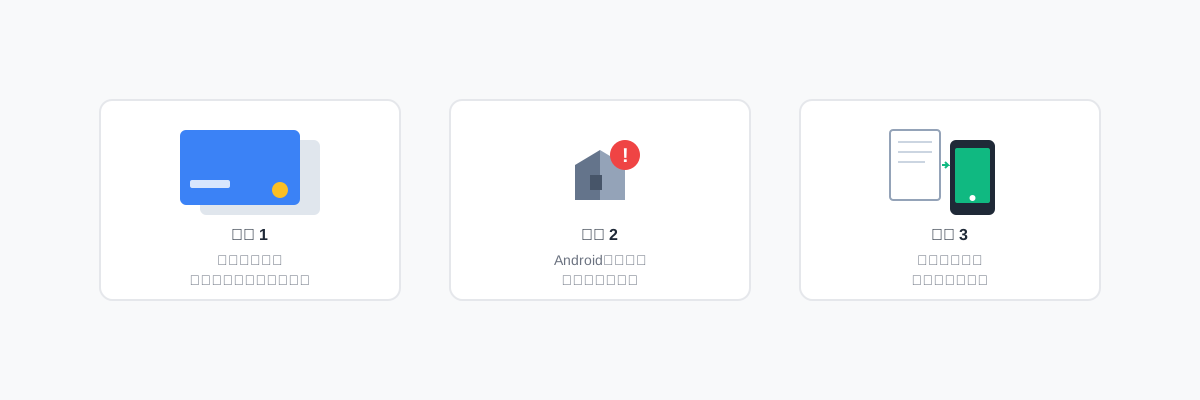
After completing my first tax return, here's what I learned.
Lesson 1: Separate Business Accounts and Credit Cards from the Start
This is really important.
Separating them later is more troublesome than you can imagine.
If you're starting a side business, separate them from the beginning.
Lesson 2: Android Apps Require Address Disclosure
If you plan to release Android apps, you should know about the address disclosure issue in advance.
To avoid panicking later like I did, you might consider contracting a virtual office before submitting your business registration.
Lesson 3: Digitize Receipt Management from the Start
If you use tax return software that complies with the Electronic Bookkeeping Act, you can just take photos of receipts with your smartphone.
If you set up a digitization system from the start, you won't panic at year-end.
For Those About to File Their First Tax Return
If you're feeling anxious about filing your first tax return right now, I want to tell you something.
It'll be okay.
I didn't know anything at first either.
But if you use tax return software, it becomes quite manageable.
What You Can Do
-
Use tax return software
- Money Forward, freee, Yayoi Accounting, etc.
- Choose what suits you
-
Create business bank accounts and credit cards
- Separate them from the start
- Master or VISA recommended for credit cards
-
Consider a virtual office
- Essential if releasing Android apps
- Available from around ¥1,000 per month
-
Research when you don't understand, or consult a tax accountant
- Don't aim for perfection
- Research when you need it
Finally
Tax returns are tough at first.
But once you experience it once, you can do it smoothly next time.
And most importantly, filing a tax return means you're earning income from your side business.
I feel that this tax return experience became the trigger for me to take my side business seriously.
I hope your side business continues to grow even bigger.
I hope this article helps those tackling their first tax return.
Related article: "From Rejection to 8 Months: My Side Business App Journey Starting from ¥1" (here)